What airplane mode actually does
Turning on airplane mode disables the phone's cellular radio, and by default typically disables Wi-Fi and Bluetooth too — this exists specifically to prevent phones from actively searching for and transmitting to cell towers during flight, which is the actual regulatory concern behind the feature.
The inconsistency problem
Here's where it gets less clean than the simple “everything off” description suggests:
- Wi-Fi and Bluetooth can be manually re-enabled while airplane mode stays on. This is standard, well-documented behavior on both iOS and Android — it's exactly how in-flight Wi-Fi works: turn on airplane mode, then manually switch Wi-Fi back on. Most Bluetooth accessories (headphones, smartwatches) work the same way. This means “airplane mode is on” doesn't reliably mean “Wi-Fi and Bluetooth are off” in practice — it depends entirely on what the user did afterward.
- GPS behavior varies by device and isn't consistent. Multiple sources describe this differently, and that disagreement is itself informative: because GPS reception doesn't require transmitting anything (the phone receives satellite signals; it doesn't send anything to them), there's no strict technical reason airplane mode needs to disable it — and on many devices, it genuinely doesn't, which is exactly why offline maps work mid-flight. Other sources describe GPS being disabled as a software precaution by default on some devices. The honest answer is: it depends on the specific phone and OS version, not a single universal rule.
- NFC support varies too, with some devices disabling it under airplane mode and others not addressing it at all.
None of this is a flaw exactly — it's a reasonable design choice, since a lot of genuinely useful offline functionality (in-flight Wi-Fi, wireless headphones, offline maps) depends on airplane mode not being a total radio blackout. But it does mean “my phone is in airplane mode” is a much less precise, less guaranteed statement than most people treat it as.
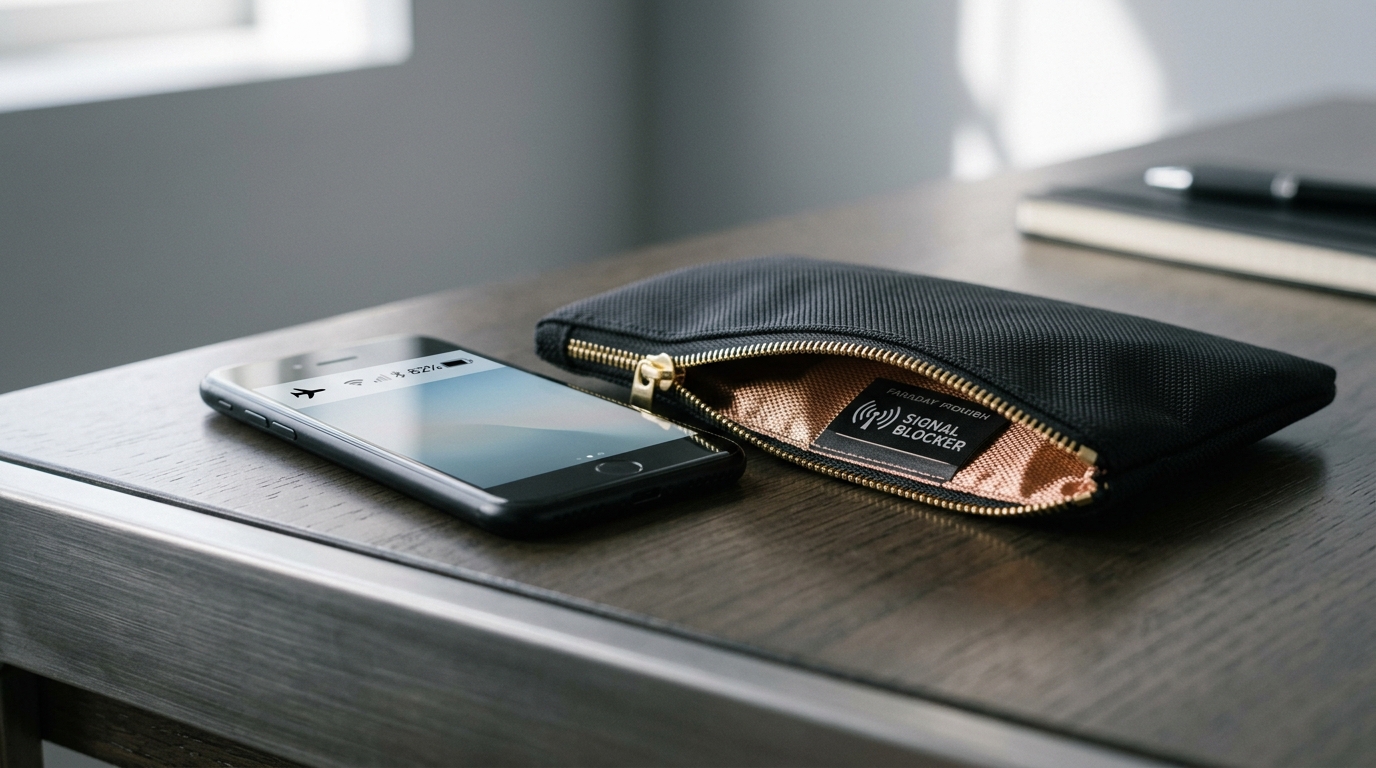
| Attribute | Airplane Mode | Faraday Bag |
|---|---|---|
| Isolation type | Software / OS toggle | Physical RF attenuation |
| Cellular transmission | Disabled by OS | Physically blocked (cannot transmit or receive) |
| Wi-Fi & Bluetooth | Can be manually re-enabled while mode stays on | Physically blocked (attenuated regardless of setting) |
| GPS satellite reception | Varies by device (often active for offline maps) | Physically blocked (signals cannot penetrate enclosure) |
| Device usability | Fully usable (offline apps, media, reading) | Unusable while sealed inside enclosure |
| Vulnerability to bugs / malware | Vulnerable (compromised software can fake state) | Immune (physics overrides code) |
Why this matters: software state vs. physical blocking
A Faraday bag doesn't care what the phone's software thinks its own state is — it blocks the RF signal at the physical layer, which is a different, more fundamental kind of guarantee. This distinction showed up directly in Can a phone be tracked inside a Faraday bag?: some newer iPhones can keep broadcasting a Find My Bluetooth signal for a period even after being powered off entirely, using a small reserved battery buffer. A device being “off,” or in airplane mode, or having a setting toggled a particular way, is still a claim about software behavior — and software can have bugs, unexpected defaults, or edge cases the user doesn't know about. Physical shielding sidesteps that whole category of uncertainty: it doesn't matter what the phone's settings say, if the signal can't physically leave the enclosure, it isn't leaving.

This is close to how most people describe it, and it's not quite accurate. As covered above, Wi-Fi and Bluetooth are commonly re-enabled manually while airplane mode is otherwise on, and GPS reception may or may not be affected depending on the device. "Airplane mode" describes a default starting state, not a guaranteed total radio blackout — the actual state depends on what's been manually changed since.
When airplane mode is actually the right tool
For its actual intended purpose — air travel — airplane mode is the correct tool, not a Faraday bag, for a simple practical reason: you can't use a phone that's sealed inside a bag. If you want offline maps, wireless headphones, or in-flight Wi-Fi during a flight, you need the phone accessible and partially functional, which is exactly what airplane mode is designed to allow. It's also the tool aviation regulations actually require, not a general privacy or security measure — it exists to prevent interference with aircraft systems, not to guarantee isolation from tracking or communication.
When a Faraday bag is the right tool
A bag makes more sense whenever you need certainty that doesn't depend on trusting the device's software — situations covered elsewhere on this site, like protecting a key fob from relay theft (where there's no equivalent “airplane mode” setting for a fob at all), digital forensics and evidence handling (where a remote-wipe risk needs to be eliminated, not just made statistically less likely), or simply wanting a device to be genuinely, verifiably not transmitting rather than probably not transmitting depending on its current settings. If the goal is “as close to guaranteed as a consumer product gets,” physical shielding gets you there in a way a software toggle structurally can't.
The honest answer
These aren't really competing options for the same job. Airplane mode is the right tool when you still need to use the device, just with certain radios disabled — its inconsistency across devices is a real limitation, but it's also the reason it's flexible enough to be genuinely useful in the situations it's built for. A Faraday bag is the right tool when the device doesn't need to be usable and the priority is a physical guarantee rather than a software one. Most people will use both, for different reasons, rather than picking one as generally superior.
Frequently asked questions
Can I use a Faraday bag and airplane mode together?
Yes, and for most travel privacy purposes this is redundant rather than necessary — if a phone is sealed in a working Faraday bag, its airplane mode setting doesn’t add anything, since the bag is already blocking the signal physically regardless of the phone’s software state.
Does turning my phone completely off do the same thing as a Faraday bag?
Not necessarily. As covered in Can a phone be tracked inside a Faraday bag?, some devices retain limited broadcasting capability even when powered off. A working Faraday bag blocks the signal regardless of the device’s power state, which a power-off alone doesn’t guarantee on every device.
Why does my phone still show my location on a family-tracking app when it's in airplane mode?
Most likely because Wi-Fi was manually re-enabled, or the device’s GPS wasn’t affected by airplane mode on that particular phone — both are common, documented behaviors, not malfunctions.
Is there a way to know for certain which radios my phone disables in airplane mode?
Not reliably from the settings menu alone — behavior varies by manufacturer, OS version, and what’s been manually toggled since. This is exactly the uncertainty a physical Faraday enclosure avoids.
Sources used
- “What Is Airplane Mode? What It Does & 7 Smart Uses” — Travelyesim. Technical breakdown of receive-only GPS behavior and manual re-enabling of Wi-Fi and Bluetooth under airplane mode.
- “Android Airplane Mode Guide” — Arekore. Operating system documentation on radio state persistence and accessory reconnection during active flight profiles.
- “What is Airplane Mode, and What Does it Do?” — Navi. Inconsistent NFC and short-range communications protocols across mobile manufacturers.
- “Airplane Mode Explained” — Lenovo Glossary. Industry reference illustrating divergent interpretations and conflicting claims regarding default GPS shutoff behavior.
- “Can a Phone Be Tracked Inside a Faraday Bag?” — PrivacyLabz Technical Analysis. Analysis of powered-off Find My Bluetooth beacon broadcast states and physical RF boundary requirements.